What is Cube Arena Zombie Warfare?
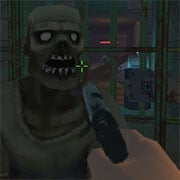
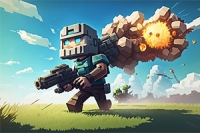
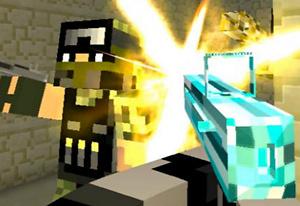
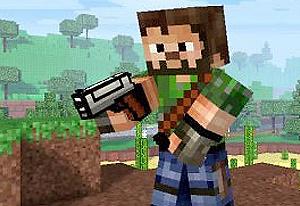
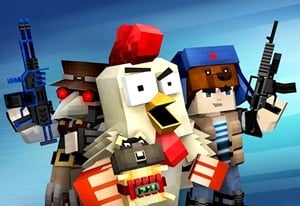
Cube Arena Zombie Warfare is the most amazing online first-person shooter game that transports the charm of Minecraft-style blocky graphics into the terribly exciting domain of zombie warfare. Think of your familiar pixelated Minecraft-like ambience with some adrenaline-rush action of shoot-'em-up. This game is meant for players who love to keep things retro with Minecraft on the graphics' side but want their gameplay modern FPS style. Head out to the battles on three different regional servers and get set for a truly exciting journey combining strategy, skill, and just plain fun.
How to Play
In Cube Arena Zombie Warfare, you will play the role of a survivor trying to stay alive in a world crawling with zombies. The goal is quite simple: stay alive and wipe out the living dead. With boxy graphics, you have all sorts of weapons, ranging from guns to more utterly creative ones. Here is how to do it:
- Choose Your Server: Pick one of the three regional servers to join. Each server comes with a different map and player base so that you can find an environment that fits your style.
- Choose Your Loadout: Prior to entering the battlefield, configure your weapon loadout. From the selection of guns, choose one that suits your play style, taking into account its weaknesses and strengths.
- Combat: The fun starts right away as zombies come in waves. From cover, be mindful of your aim and manage your ammo with a generous hand. Work together with fellow players to take down bigger enemies.
- Survive and Gain Points: An increase in the score is awarded based on how well your performance is on eliminating zombies. Take the top spot on that leaderboard and survive while others are still cowering to win the game.
Tips & Tricks
Here are some helpful hints to help you evolve in Cube Arena Zombie Warfare:
- Keep Moving: Never stay in one place for too long. Moving will make you a more difficult target for zombies.
- Use The Surroundings To Your Advantage: The blocky maps offer many hiding spots and cover. Get creative!
- Ammo Management: You are only given very little ammo, so use it wisely. Pick up supplies dropped by defeated foes.
- Join Forces: The more, the merrier. Work together with others to improve everyone’s chances of survival. Try to coordinate excellent teamwork in eliminating massive hordes of zombies.
Origin
Its rise was along the indie genre of games of the past that mix the old style with present gameplay. The deft Sponge team set out, inspired by the success of Minecraft and the style of FPS games in the early days of the internet, to manufacture a unique experience that would appeal to both Minecraft fans, as well as to those who prefer FPS shooters. The game's retro graphics and engaging fighting mechanics have very soon found a loyal community.
Play Unblocked!
In some instances, Cube Arena Zombie Warfare might be blocked on certain networks or school systems. If you found the game unblocked, then all the power to your wrist! Otherwise, here are a few hacks for you to try:
- Get yourself a : Using a , or for short, you can trick the internet into thinking you are in a different location, helping you, bypass those restrictions.
- Look for alternate servers: At times, downed servers or restricted servers in your region might be the cause of the problem. There might be alternate servers you can try accessing.
- Reach out to your Network Admin: If you're trying to play at school or work, the most direct approach should be to ask your network administrator for permission to access.
Game Developer
The development of Cube Arena Zombie Warfare was pitched by a passionate team of indie developers who love both Minecraft and FPS. Whilst developing the title, they focused on intricacies with one goal in mind: to make a fun and rewarding experience for players.
Game Platforms
With Cube Arena Zombie Warfare being a multi-platform title, its accessibility is high:
- PC: This game was made for Windows and it can run nicely on most systems.
- Mac: Mac users are also in for it, but keep in mind that the performance entirely depends on your system specifications.
- Mobile: Want action anytime, anywhere? The game is on the iOS and Android platforms.
Unblock Cube Arena Zombie Warfare
In case you still can't access Cube Arena Zombie Warfare, here are a few more steps you could take:
- Visit Your ISP Website: Check the website of your ISP for any information or help regarding the access to the Cube Arena Zombie Warfare or any issue concerning your internet connection.
- Restart Game Application: Sometimes restarting a game application can fix those connectivity issues immediately.
- Update Drivers: Refresh your graphics card driver together with any other necessary software.
- Look Out for Modded Clients: Modded clients can sometimes help get around restrictions, but remain careful and use only well-known and trusted sources.
FAQs
Q: How many regional servers are available?
A: Three regional servers exist, each with a different map and player base.
Q: Can I play with friends?
A: Yes, the game supports multiplayer, allowing you to team up with friends and other players.
Q: Are there any purchases inside the game?
A: Not at the moment. It is currently free-to-play with optional donations to help the developers.
Q: What kind of weapons can I use?
A: The weapons range from traditional guns and weird contraptions to anything fitting!
Q: Is the game good for beginners?
A: Yes, the game is designed for players on all different skill levels and Easy to understand mechanics when tutorials are available.
Cube Arena Zombie Warfare offers a unique blend of old-school graphics and modern FPS gameplay, making it a must-play for all fans of both genres. This game has something for everyone, whether you spend some hilarity with friends or want to test your tough skin by heavy-handed zombie combat. So, get your weapon ready, join a server, and get ready to survive the onslaught!
Play Cube Arena Zombie Warfare on your Mobile

Span the QR Code with your mobile device camera to play Cube Arena Zombie Warfare
You can enjoy this game on mobile and tablet(such as iPhone, IPad, and Android device)
 Shoot Games